How to Analyze Real Estate Deals with Claude Using MCP
Ask an LLM what a house is worth and it guesses. Connect it to Resideline's remote MCP server and it calls live valuation, rent, and comp tools instead. Setup, tools, costs, and caveats for developers.
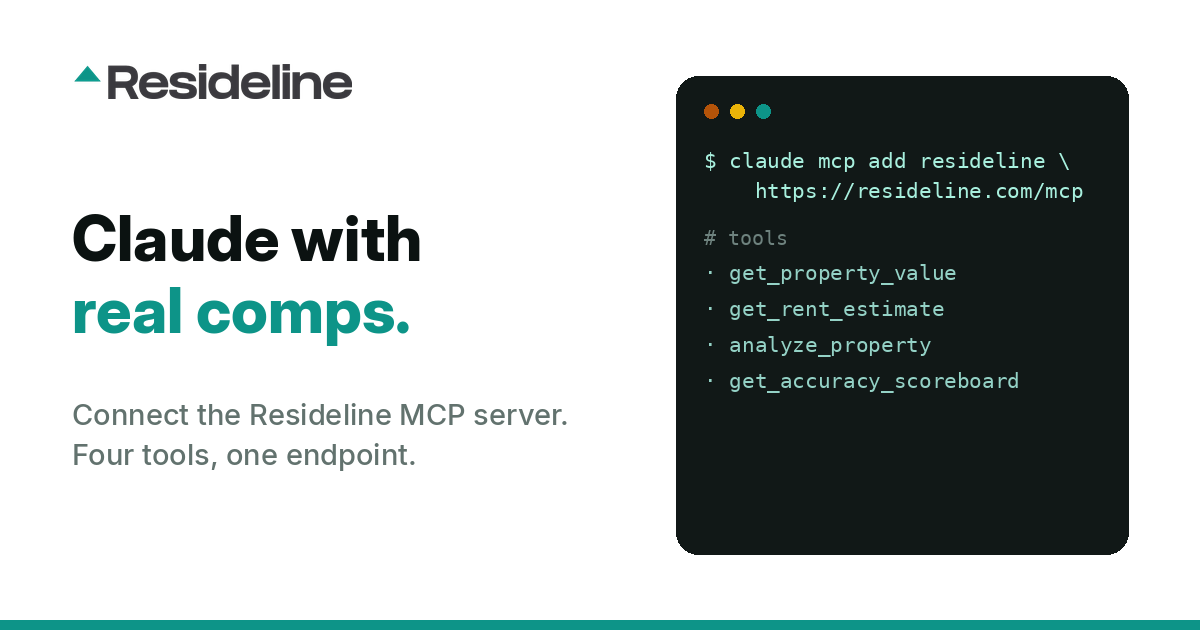
Ask any large language model what 4821 Ridgemont Drive is worth and you will get a number. The number will be confident, it will be formatted nicely, and there is no particular reason to believe it. The model never saw that address. It saw text about housing markets, scraped years ago, and it is pattern matching its way to something plausible. This is not a reasoning failure. It is a data plumbing failure. The model has no live connection to sold comps, no current listing state, no rent data, no way to check its own answer. Prompt engineering does not fix that. Fine tuning does not fix that. The only thing that fixes it is giving the model a tool that returns real data at inference time, and that is exactly what the Model Context Protocol was built for. Resideline runs a remote MCP server at https://resideline.com/mcp. This post covers what MCP is, the four tools the server exposes, how to wire it into Claude Code, Claude Desktop, or any other MCP client, and what the thing actually does and does not do.
What MCP actually is
MCP is an open protocol for connecting AI assistants to external tools and data sources. Think of it as a standard contract between a model and a service, so that every integration does not need custom glue. The practical mechanics: an MCP server advertises a list of tools, each with a name, a description, and a JSON schema for its inputs. The client, which is your AI assistant, reads that list and puts it in front of the model. When the model decides a tool is relevant to the question, it emits a structured call, the client executes it against the server, and the result comes back into the conversation as context the model can reason over. What matters for developers is what disappears. You do not write an API client. You do not write a parser. You do not write a routing layer that decides which endpoint answers which question. You register a server once, and the model handles selection and sequencing on its own. A remote MCP server like Resideline's is just an HTTP endpoint, so there is nothing to install, run, or keep alive on your machine. Auth is a header. Send Authorization: Bearer YOUR_API_KEY, or X-API-Key if that fits your stack better. Keys are never stored or logged on the server side.
The four tools
| Tool | What it returns | Needs key? | Credits |
|---|---|---|---|
get_property_value | Estimated value plus the comparable sales behind it, for a US address | Yes | 2 |
get_rent_estimate | Market rent estimate for the property | Yes | 2 |
analyze_property | Fuller deal analysis for the address | Yes | 10 |
get_accuracy_scoreboard | Resideline's graded accuracy record | No | Free |
get_accuracy_scoreboard takes no key at all, so you can point a client at the server and interrogate the accuracy record before you spend a credit or hand over a key. That is deliberate. If a valuation vendor will not let you inspect its track record before you buy, that tells you something. The comps returned by get_property_value are the point of the whole exercise. A single number is not analysis. A number with the specific sales that produced it is something you can argue with, and that is the design intent: transparent, user adjustable comps rather than a sealed score. Glass box, not black box.Setup
Get an API key by logging in at resideline.com. Then pick your client.
Claude Code
One command:
claude mcp add --transport http resideline https://resideline.com/mcp --header "Authorization: Bearer YOUR_API_KEY"
Claude Desktop
Edit claude_desktop_config.json and add the server under mcpServers:
{
  "mcpServers": {
    "resideline": {
      "command": "npx",
      "args": [
        "-y",
        "mcp-remote",
        "https://resideline.com/mcp",
        "--header",
        "Authorization: Bearer YOUR_API_KEY"
      ]
    }
  }
}
Restart Claude Desktop after saving. The mcp-remote shim bridges the desktop client's local transport to the remote HTTP endpoint.
Any other MCP client
Most clients accept a direct URL plus headers:
{
  "mcpServers": {
    "resideline": {
      "url": "https://resideline.com/mcp",
      "headers": {
        "Authorization": "Bearer YOUR_API_KEY"
      }
    }
  }
}
To smoke test without a key, connect and ask the assistant to call get_accuracy_scoreboard. If it returns, your transport and client config are correct and the only remaining variable is the key.
A worked example
Here is the shape of a real session. Suppose you are looking at a hypothetical three bedroom, two bath house at 1420 Kingsley Avenue in Orange Park, Florida, listed at $312,000, and you think it needs roughly $45,000 of work. Your prompt:
Analyze 1420 Kingsley Ave, Orange Park, FL as a rental. It is listed at $312,000 and I estimate $45,000 in rehab. Pull the value and the comps behind it, get a rent estimate, and tell me what the comp spread implies about confidence. Show me the comps, do not just give me a number.
What the assistant does with that, unprompted, is chain the tools:
- 1.It calls
get_property_valuewith the address. Back comes an estimated value plus the comparable sales that support it. - 2.It calls
get_rent_estimatefor the same address to get market rent. - 3.If you asked for deal level framing, it calls
analyze_propertyfor the fuller analysis.
The rest of this example is illustrative, written to show the shape of the reasoning, not data returned by the server. Your actual numbers will differ.
A useful answer looks less like "the value is $340,000" and more like: the estimate sits above list, but three of the five comps are on the same street and within 200 square feet, while two are a mile out and materially larger, so the tight cluster is doing the real work and the outliers are inflating the spread. Rent supports the basis at your rehab number, but only if the rehab number holds. Here are the five comps with distance, size, and sale date, so drop the two far ones and see what happens.
That last move is why adjustable comps matter. You can tell the assistant to re-run the analysis excluding specific comps, or reason about the subset yourself, because the underlying sales came back with the answer. A sealed score gives you nothing to disagree with.
The workflow scales past one address. Paste ten candidates, ask for the same treatment on each, and let the model do the triage pass you would otherwise do by hand in a spreadsheet. For batch work at volume, the Resideline API is the better surface, since MCP is optimized for conversational analysis rather than throughput.
Why grading matters
Most valuation products report accuracy against whatever sample flatters them, computed after the fact, with the selection rules undisclosed. That is a marketing number, not a measurement. Resideline does it differently. When a home goes on the market, the estimate is frozen at that moment. It cannot be revised as the listing ages, as price cuts land, or as the market moves. When the home closes, the frozen estimate is graded against the real closing price. No retroactive adjustment, no cherry picking the sample after the outcome is known. That method is the entire reason get_accuracy_scoreboard needs no API key. The record is published on the public accuracy dashboard, and the tool exposes the same record to any agent that asks. If you are building on top of a valuation source, you should be able to audit its error, programmatically, before you commit.
What it costs
MCP calls spend Resideline credits from your plan. There is no separate MCP fee and no per call surcharge. A quick value or rent lookup costs 2 credits, a full deal analysis costs 10 credits (the same as one full report), and the accuracy scoreboard is free.
| Plan | Price | Credits | Enough for |
|---|---|---|---|
| Free | $0 | 30, once at signup | 3 full analyses or 15 quick lookups |
| Pro | $89/mo | 2,500 a month | 250 full analyses, plus Deal Inbox |
| Business | $249/mo | 10,000 a month | 1,000 full analyses, plus screening lists, developer API access, and 3 seats |
Limits and honest caveats
Read this part before you wire it into anything that spends money.
Coverage has edges. Live valuations run nationwide, and the public scoreboard grades them against real closing prices in 37 states, so the accuracy evidence is thinner elsewhere. Research content and calculators reach broader US markets, but an address outside the valuation footprint will not produce a live estimate. Check coverage before you build a pipeline that assumes national reach.
Thin markets are thin. Rural and low turnover areas have fewer recent comparable sales, and a valuation model can only work with the sales that exist. Fewer comps means a wider spread and a less reliable estimate. This is a property of the data, not a bug, which is why the comps come back with the estimate: sparse comps are visible instead of hidden.
MCP is a data layer, not an underwriter. The server returns values, rents, comps, and analysis. It does not decide whether a deal is good. Rehab scope, contractor pricing, insurance, taxes, holding costs, exit assumptions, and your own risk tolerance are all yours. An LLM with good data still produces confident prose, and confident prose is not diligence.
Verify before you buy. Any automated valuation, from any vendor, is a starting point. For real capital, get boots on the ground, get contractor bids, and get an appraisal. Use this to decide what deserves a site visit, not to skip one.
The model still narrates. Tools fix the data layer. They do not stop a model from over interpreting a thin result. When the comps are weak, ask the assistant to say so explicitly rather than smoothing it into a clean recommendation.
Getting started
The fastest zero commitment test: add the server with any MCP client, skip the key, and ask for the accuracy scoreboard. If that returns, the integration works, and you have seen the graded record before spending anything. From there, grab a key at resideline.com, run one address you already know cold, and check whether the comps match your read of the neighborhood. That is the only benchmark that matters for your use case. Full server documentation lives at the MCP server page. If you need programmatic access outside a chat client, see the API docs. And if you want to see how the valuation behaves before writing any code, the free tools run the same underlying analysis in a browser.
Frequently Asked Questions
What is an MCP server for real estate data?
MCP, the Model Context Protocol, is an open protocol that lets an AI assistant call external tools and data sources. A real estate MCP server exposes property tools the model can invoke mid conversation, so instead of guessing a home value from training data, the assistant fetches live valuations, rents, and comparable sales. Resideline runs a remote one at https://resideline.com/mcp, so there is nothing to install locally.
How do I connect Claude to real estate data?
Grab an API key by logging in at resideline.com. In Claude Code, run claude mcp add --transport http resideline https://resideline.com/mcp --header "Authorization: Bearer YOUR_API_KEY". In Claude Desktop, add an mcp-remote entry pointing at https://resideline.com/mcp to claude_desktop_config.json, then restart the app. Any other MCP client takes the same URL with an Authorization: Bearer YOUR_API_KEY header. The full config block for each client is in the Setup section above.
Do MCP calls cost extra, and can I test without an API key?
MCP calls spend credits from your Resideline plan, with no separate fee. Free accounts get 30 credits once at signup, Pro is $89/mo for 2,500 credits a month, and Business is $249/mo for 10,000 credits a month plus screening lists, developer API access, and 3 seats. A quick value or rent lookup costs 2 credits and a full analysis costs 10. You can test the connection with no key and no cost by calling get_accuracy_scoreboard, which is free and returns Resideline's graded accuracy record.
Put the property research into practice.
Create a free account to explore property reports and put your deal research in one place.
Create a free account3 free reports at signup. No card required.